

Think the documentation has changed? Check GitHub
Hi! I’m Okajima, a technical writer in charge of documentation for the LINE Developers site.
Have you ever read the LINE Developers documentation and thought, "Wait, did something change"? You can actually check the change history of the LINE Developers site documentation on GitHub. For more information, see the news from April 8, 2026.
LINE Developers Documentation Source Files
Repository structure
The Markdown files for the LINE Developers site documentation are stored under the docs directory, organized by language.
For example, the structure of the docs/en directory is as follows:
Check the change history of the LINE Developers site
To check the change history of the LINE Developers site documentation, open the corresponding Markdown file on GitHub and click the History button. You can view changes made since March 30, 2026.
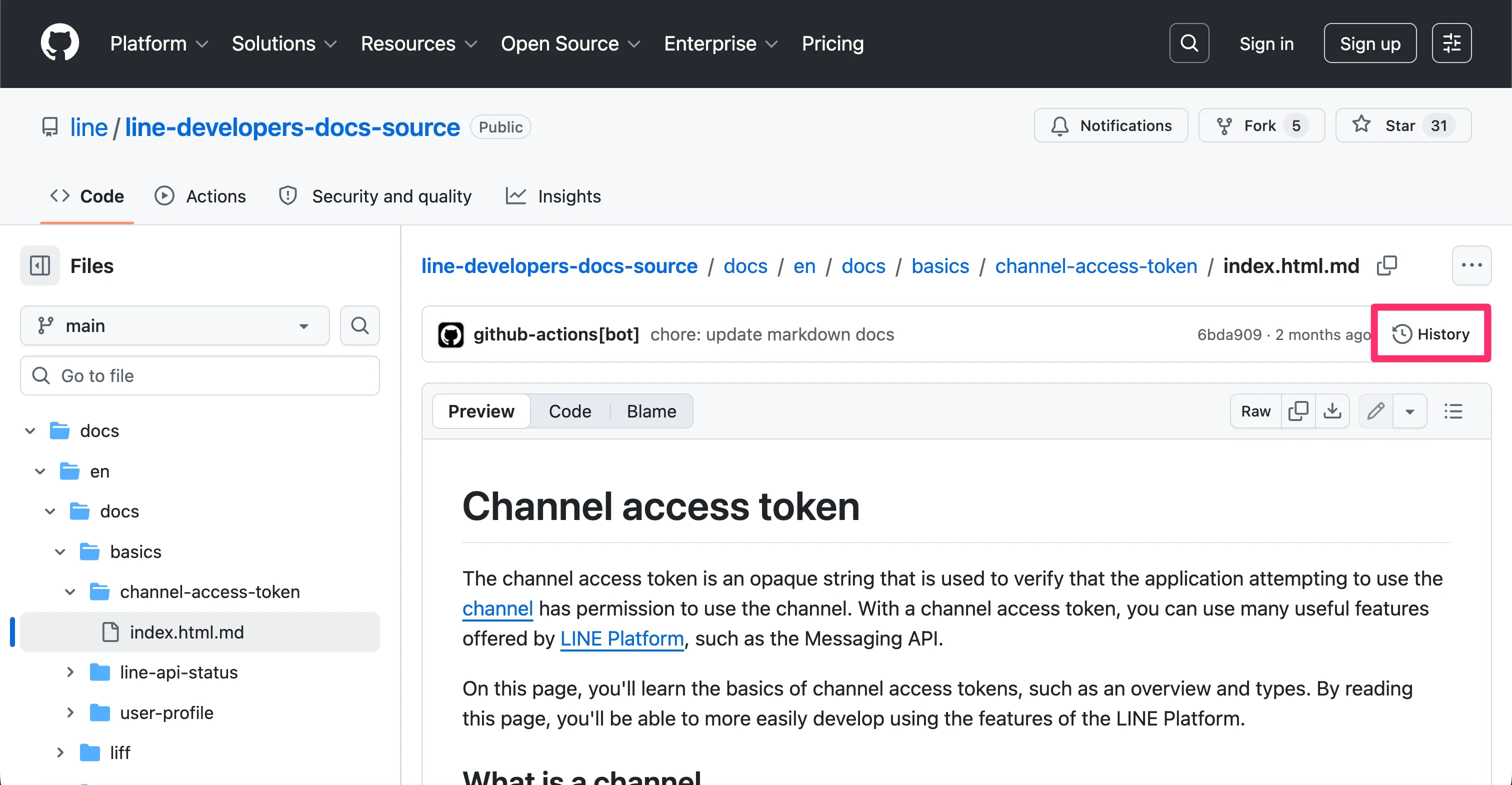
You can also open the Markdown file for any page directly by clicking the View on GitHub button under the page title on the LINE Developers site.

Wrap-up
Previously, even when you noticed that the LINE Developers site documentation had changed, it wasn't always easy to see what exactly had been updated. Now that you can check the change history on GitHub, you can stay up to date more easily.
I hope this makes your documentation experience even a little better.