

Have you checked your Business ID login history?
Hello! I'm Furuki, a technical writer.
Did you know that Business ID, which you use to log in to the LINE Developers Console, lets you check when and where you logged in?
This article introduces the login history feature, which is useful for managing your account.
How to check your login history
After logging in to the LINE Developers Console, follow these steps to check your login history:
- Click Go to Business ID Profile on the profile screen in the LINE Developers Console to open your Business ID profile page.
- Click Manage access and devices under the "Access information" section at the bottom of the page.
- Click Login history in the description on the "Manage access and devices" screen.
The Login history screen shows the 100 most recent entries from your login and access history for the past 3 months. You can check the date and time, country or region, device, authentication method, and IP address.
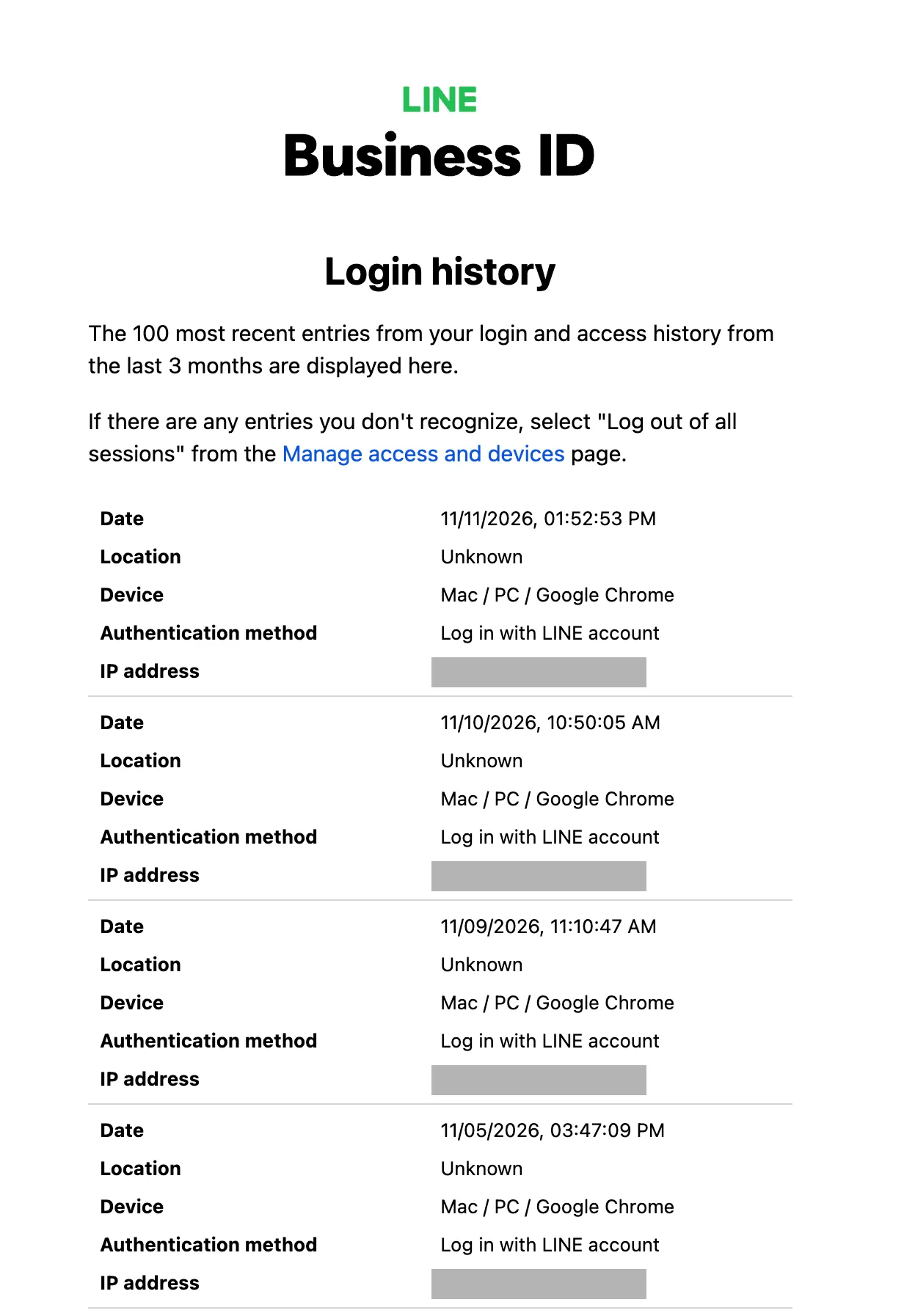
If you don't remember logging in at a particular time, checking the device and authentication method can help you determine whether you initiated the login.
The country or region may sometimes be identified incorrectly. Check the date, time, and device together with the country or region.
For more information about each item, see Login history in the Help Center.
If you find a login you don't recognize
If you find a login or access history entry you don't recognize, someone else may have accessed your account without permission. In that case, follow the guidance in My Business ID may have been logged in to without my authorization in the Help Center and take appropriate action, such as changing your password.
Wrap-up
In this article, I introduced the Business ID login history feature. Check your login history regularly to help detect unauthorized logins early and protect your account!
About the author
Furuki (Technical Writer): In charge of documentation for the LINE Developers site. Also organizes Technical Writing Meetup, a community about technical writing.