

What to know when "Open in LINE" or "Log in with LINE" doesn't work as expected
Have you ever used a LINE MINI App, tapped the Open in LINE button, and found that LINE didn't launch?
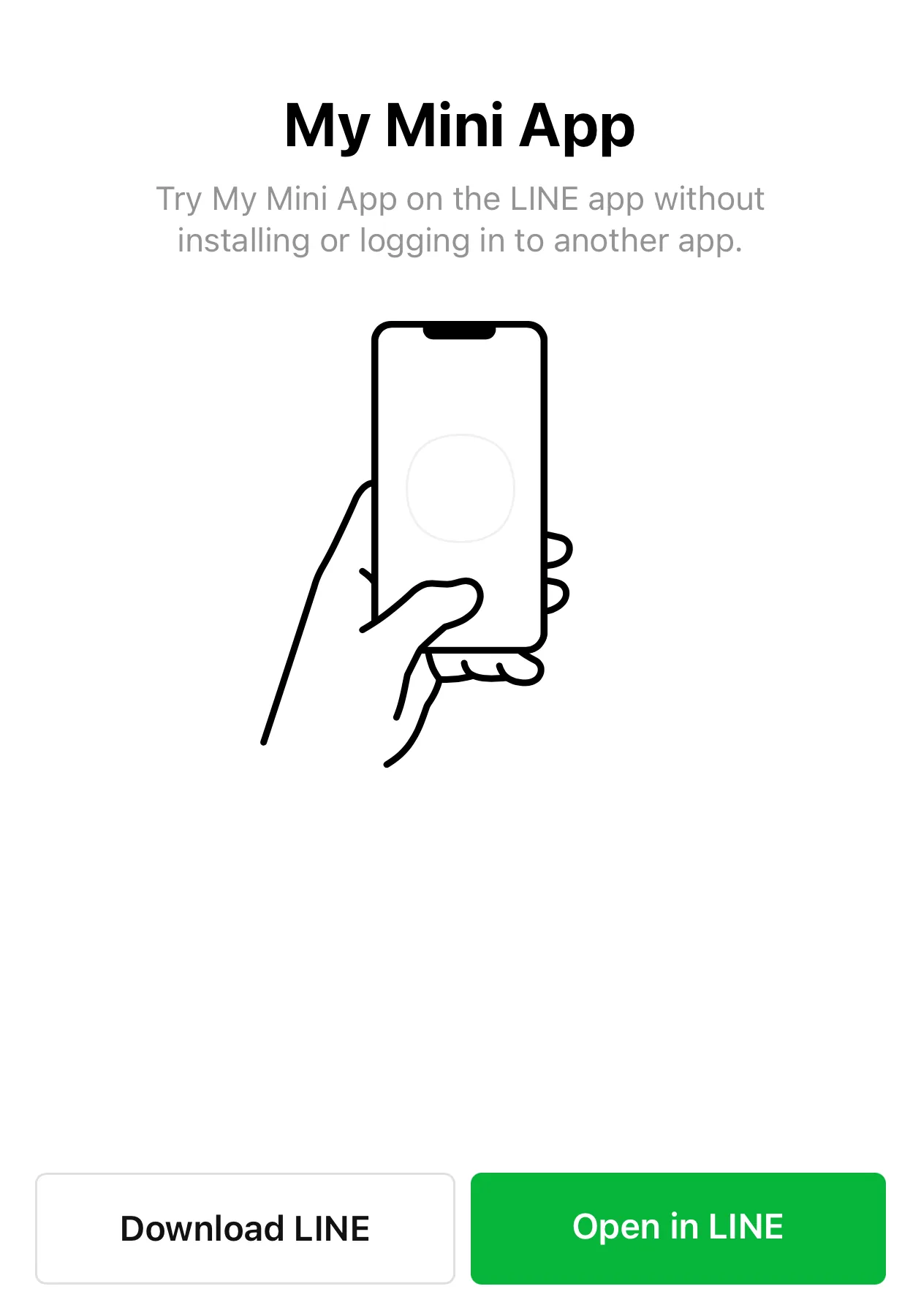
If you're a LINE MINI App developer, you may also have received questions such as, "I can't open the MINI App from Facebook."
This kind of behavior tends to happen more often in in-app browsers built into social media apps such as Facebook, Instagram, and X. At first glance, it may look like a problem with the LINE MINI App or LINE itself, but in many cases the actual cause is the behavior of the OS, browser, or WebView.
In this article, we'll organize the background behind this behavior and the practical guidance LINE MINI App developers can provide to users.
- Why this happens
- Why LINE opens in the first place
- This is especially common in in-app browsers
- There isn't much developers can do
- It can also happen in Safari on iOS
- Wrap-up
Why this happens
There are several mechanisms that can be used to open LINE from a web page.
In general, flows such as opening a LIFF URL and LINE Login auto login use Universal Links or App Links to open LINE from a web page. On the other hand, in some cases, such as the Open in LINE button on landing pages, a custom URL scheme is used instead.
In all of these cases, whether LINE actually launches depends heavily on the behavior of the user's OS, browser, and in-app browser. Even when the page itself is configured correctly, LINE may not launch as expected in some environments.
As a result, even if the link or button intended to launch LINE is set up correctly, the LINE app may not open. Instead, users may remain in the browser and see a login screen, or in some cases, nothing may appear to happen at all.
Why LINE opens in the first place
The mechanism behind this is that when users tap a URL, the OS opens the corresponding app if it is installed. The main examples are Universal Links on iOS and App Links on Android.
With Universal Links on iOS, if a website is associated with an app, tapping a supported URL opens the app without going through Safari. If the app isn't installed, the web page opens in the browser as usual. For details, see Apple's official documentation on Universal Links.
App Links on Android work in much the same way, but they first verify the association between the website and the app and then open supported URLs in the app. Verified App Links usually open the app directly without showing an app chooser dialog. For details, see Android Developers' documentation on App Links.
From a developer's point of view, it helps to think of this not as a special LINE-only URL format, but as the OS inspecting an ordinary URL and deciding whether the corresponding app should be opened.
The Open in LINE button used on LINE MINI App landing pages and similar pages uses a custom URL scheme. This is an older mechanism than Universal Links or App Links, using URLs with a specific scheme such as line://. Under certain conditions, custom URL schemes can carry a risk of hijacking attacks, so Universal Links or App Links are generally recommended instead.
For details, see Use LINE features using the LINE URL scheme.
What to know on iOS
Universal Links on iOS are convenient, but they don't always open the app unconditionally. For example, if a user taps a link to the same domain as the page currently open in Safari, the OS may decide to keep opening the page in Safari even if the Universal Link is configured correctly.
Also, if a user enters the URL directly into the browser's address bar, it isn't treated as a Universal Link, so the app won't open. In other words, the exact same URL can behave differently depending on whether the user tapped it or typed it manually. Users are unlikely to manually type a MINI App URL into the address bar, but this is still useful to know when testing.
What to know on Android
On Android, it's useful to distinguish between ordinary deep links and verified App Links.
Ordinary deep links may open a browser or show an app chooser depending on the conditions. Verified App Links, on the other hand, can route users more directly to the app because the relationship between the website and app has been verified.
In particular, on Android 12 and later, general web links open in the browser rather than the app unless the app has successfully verified the domain. Most LINE users are unlikely to run into this, but it is still useful for developers to know that this kind of behavior can occur when users are on older Android OS versions.
On Android, not only the OS version but also device-manufacturer-specific browser implementations and security features can affect how URLs are handled. For example, on Samsung and OPPO smartphones, manufacturer-provided browsers and security apps are known to affect URL handling, which may prevent LINE from opening as expected when certain conditions are met. With that in mind, it is worth noting that manufacturer-specific implementations can also affect whether Android opens LINE as expected.
This is especially common in in-app browsers
In-app browsers in apps such as Facebook, Instagram, and X may not handle app-launch flows as reliably as regular browsers do. In practice, many developers have reported cases where Open in LINE or Log in with LINE does not launch the LINE app.
Because this behavior depends on each app's WebView implementation and product decisions, it is ultimately controlled by the app vendor, such as Meta or X. In other words, this isn't something the LINE app itself can prevent.
In general, in-app browsers inside mobile apps can let the app decide whether a given navigation should be allowed. For example, on iOS, a mechanism such as webView(_:decidePolicyFor:decisionHandler:) can be used to block only the URLs intended to launch LINE.
We do not know whether social media apps actually implement this kind of behavior, but it is still worth understanding that app vendors can control how their in-app browsers behave.
On the other hand, if users reopen the same page in an external browser such as Safari on iOS or Chrome on Android, Open in LINE or Log in with LINE will often work normally.
This isn't limited to social media apps. The behavior of in-app browsers can change depending on app updates and OS updates. A problem may not reproduce consistently in a given app, and something that used to work may stop working later in the same environment.
There isn't much developers can do
As described above, if the root cause is the behavior of the OS or the app vendor, there are only limited countermeasures available to developers using LIFF or LINE Login. It's difficult to fully control whether LINE launches successfully using only the MINI App side.
In practice, the realistic options are things like these:
- If LINE doesn't launch, instruct users to reopen the page in an external browser such as Safari on iOS or Chrome on Android and try again
- If your service can also be used in an external browser, provide a flow that lets users continue even if launching LINE fails
- On iOS, when users access a LIFF URL, start the login flow from a user tap instead of an automatic redirect triggered by JavaScript
For example, you might show users a short message like this:
If LINE doesn't launch, open this page in Safari on iOS or Chrome on Android and try again.
If you provide a LINE MINI App or LIFF app, see also Open the LINE MINI App in an external browser in the LINE MINI App documentation.
It can also happen in Safari on iOS
On iOS, even in Safari, LINE may occasionally fail to launch automatically through a Universal Link during LINE Login auto login.
For example, when trying to open LINE, users may see a confirmation such as "Open this page in LINE?" If they choose Cancel several times, it may start to feel as though LINE no longer opens automatically as easily as before.
Apple hasn't publicly documented this behavior in detail. It is known mainly through user reports and practical experience. At this point, it's possible that the OS changes its behavior based on the user's previous choices, but there doesn't appear to be enough information to state that as a confirmed specification.
In such cases, users may be able to launch LINE successfully by long-pressing Log in with LINE app at the bottom of the screen and selecting Open in LINE from the context menu that appears.
| 1 | 2 | 3 |
|---|---|---|
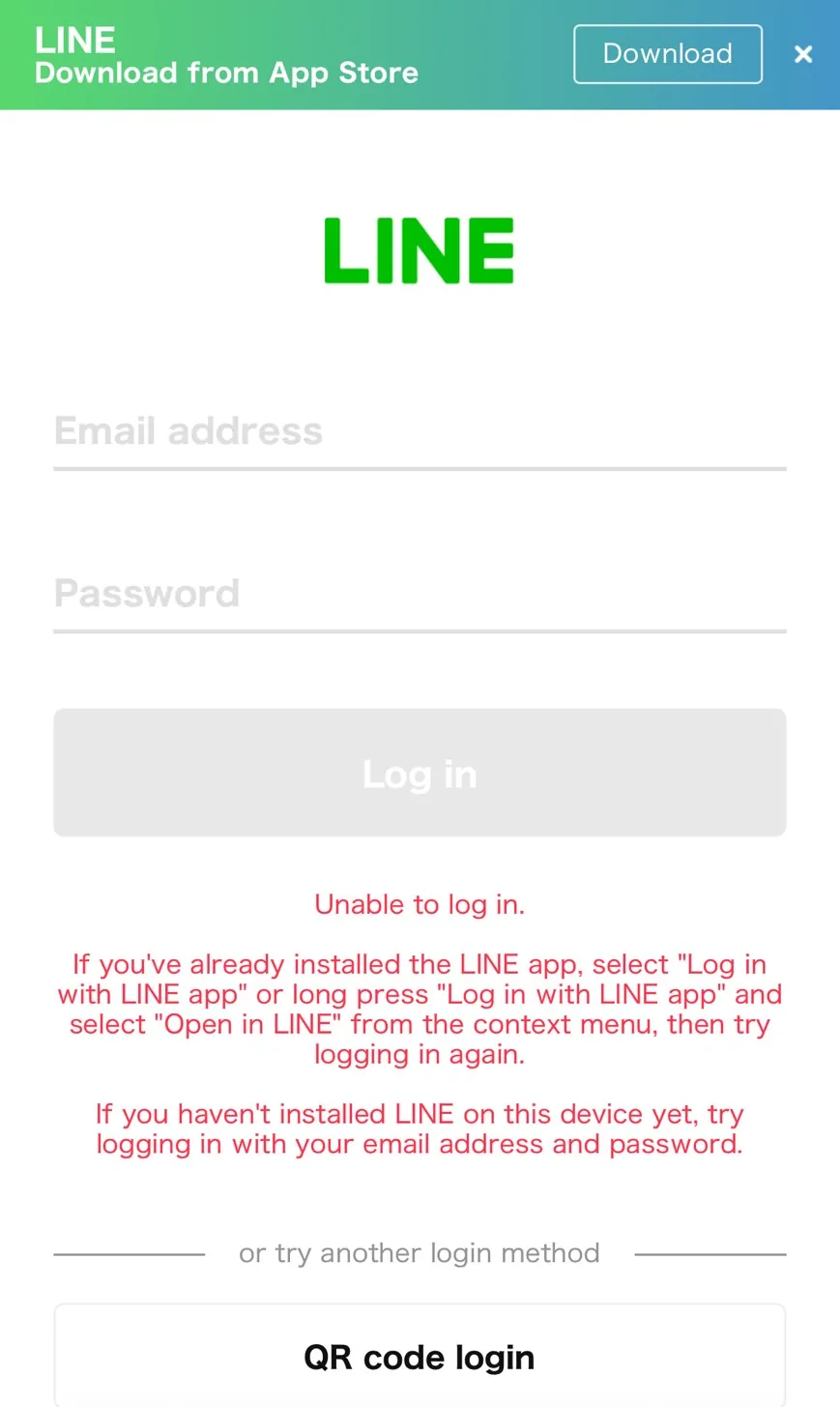 | 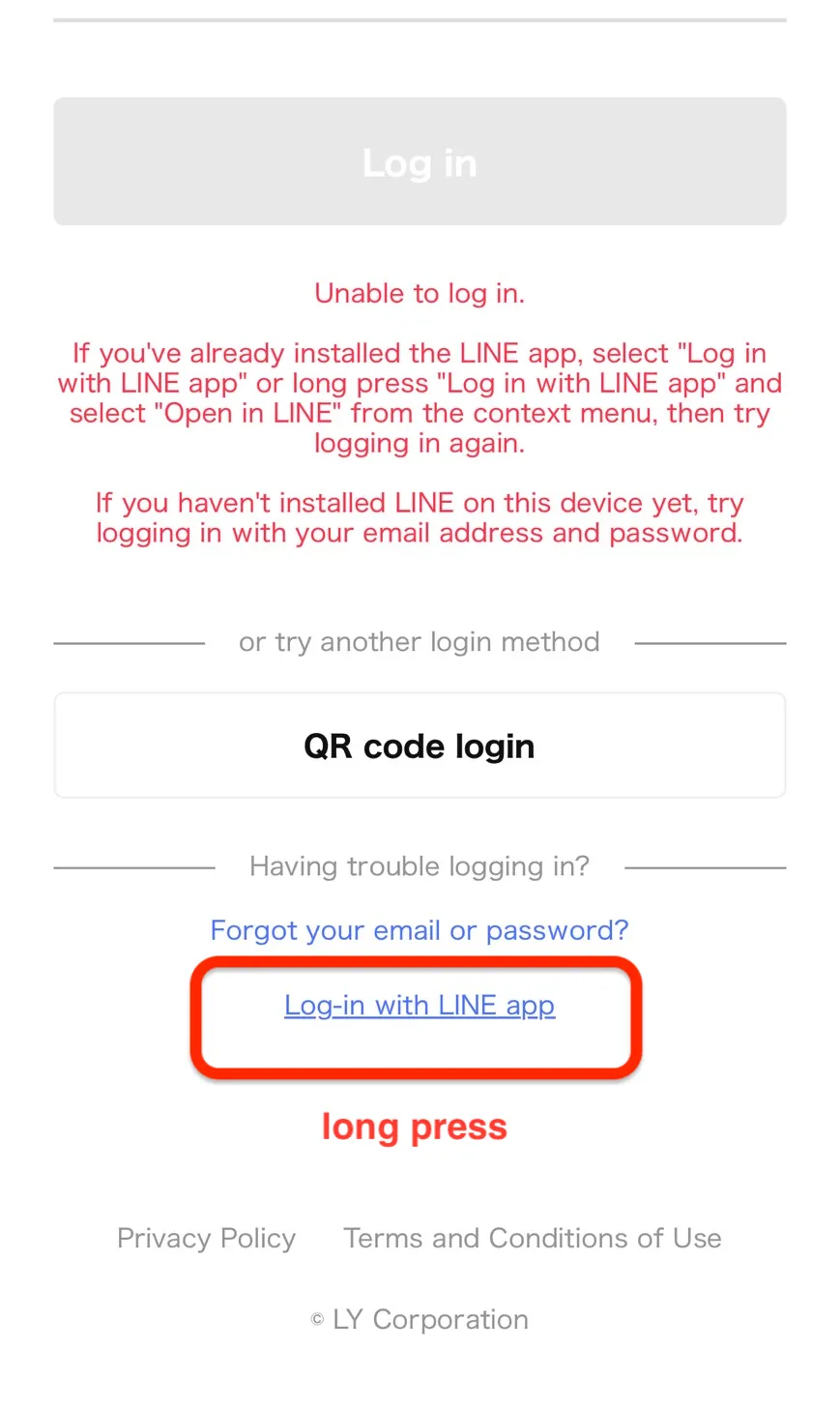 | 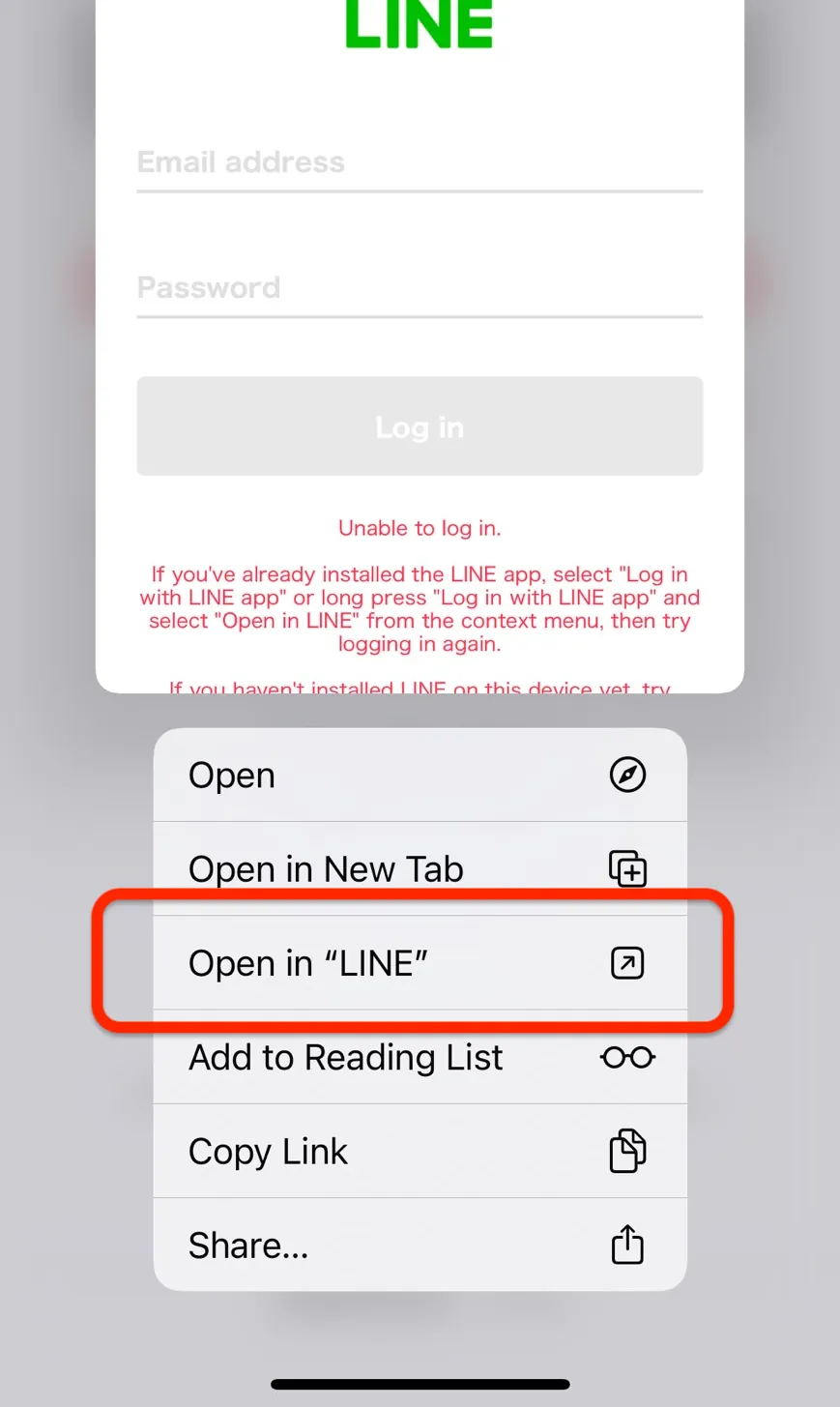 |
If, for some reason, users need to log in through the login screen, knowing about this behavior may help when supporting users.
Wrap-up
Even when Open in LINE or Log in with LINE doesn't work as expected, it doesn't necessarily mean there is a problem with your LINE MINI App implementation, your LINE Login integration, or the way you placed the launch link or button. In some cases, the cause lies in the behavior of the OS or the in-app browser.
In these situations, rather than trying to find a way to force LINE to open every time, it's more useful to assume that some environments won't launch LINE reliably and prepare user guidance and fallback flows accordingly.
In particular, if a large share of your traffic comes from external services or social media apps, preparing guidance in advance to reopen the page in Safari or Chrome can make user support much smoother.