

Use the liff.requestFriendship() method to naturally prompt users to add your LINE Official Account as a friend or unblock it
Hello! I'm Furuki, a technical writer.
The LIFF SDK used in LIFF apps and LINE MINI Apps continues to gain new methods. In this article, I'd like to introduce the liff.requestFriendship() method, added on March 24, 2026, as one of my favorite methods.
* Here, "favorite" simply reflects the author's personal opinion.
What is the liff.requestFriendship() method?
The liff.requestFriendship() method displays a subwindow that prompts the user to add the LINE Official Account linked to the channel as a friend, or to unblock it.
- If the user has not added the LINE Official Account as a friend, a subwindow that prompts the user to add it as a friend is displayed.
- If the user has blocked the LINE Official Account, a subwindow that prompts the user to unblock it is displayed.
- If the user is already friends with the LINE Official Account, the subwindow is displayed and then automatically closed.
The following images show how it works:
| Not added | Blocked | Added |
|---|---|---|
 |  |  |
Note that the liff.requestFriendship() method is available only when the LIFF browser screen size is Full. For more information, see Size of the LIFF browser in the LIFF documentation.
Why I like it
- A seamless UX that doesn't interrupt app usage
- Easy to execute without the
profilescope - A design that fits naturally into use cases
A seamless UX that doesn't interrupt app usage
The first reason I like this method is that it can prompt users to add a LINE Official Account as a friend or unblock it directly on the screen of the LIFF app or LINE MINI App they are already using.
Because the flow is completed in a subwindow without sending users to an external page or the LINE Official Account's profile page, users can easily return to the original screen. This makes it possible to prompt them to add the account as a friend without forcing them to leave the app, even while they are filling out a form or performing another task.
Easy to execute without the profile scope
The next reason I like it is that the liff.requestFriendship() method itself doesn't require the profile scope.
This makes it easy to integrate when you want to prompt users to add the account as a friend first, without checking the friendship status beforehand.
In particular, for LINE MINI Apps, you can execute this method as long as the user has granted the openid scope through the Channel consent simplification flow. Since you don't need to assume additional permission requests up front, it becomes easier to keep both the implementation and the user flow simple.
The liff.getFriendship() method, which gets the friendship status between the user and the LINE Official Account, requires the profile scope.
For this reason, if you use a flow like the following to call the liff.requestFriendship() method only when the user hasn't added the account as a friend, the profile scope is required.
A design that fits naturally into use cases
The third reason I like it is that the design fits naturally into use cases where you want to prompt users to add the account as a friend.
It has a simple and intuitive design that fits naturally into use cases centered around adding the account as a friend, such as delivering coupons, sending reminder notifications, and providing member-only information.
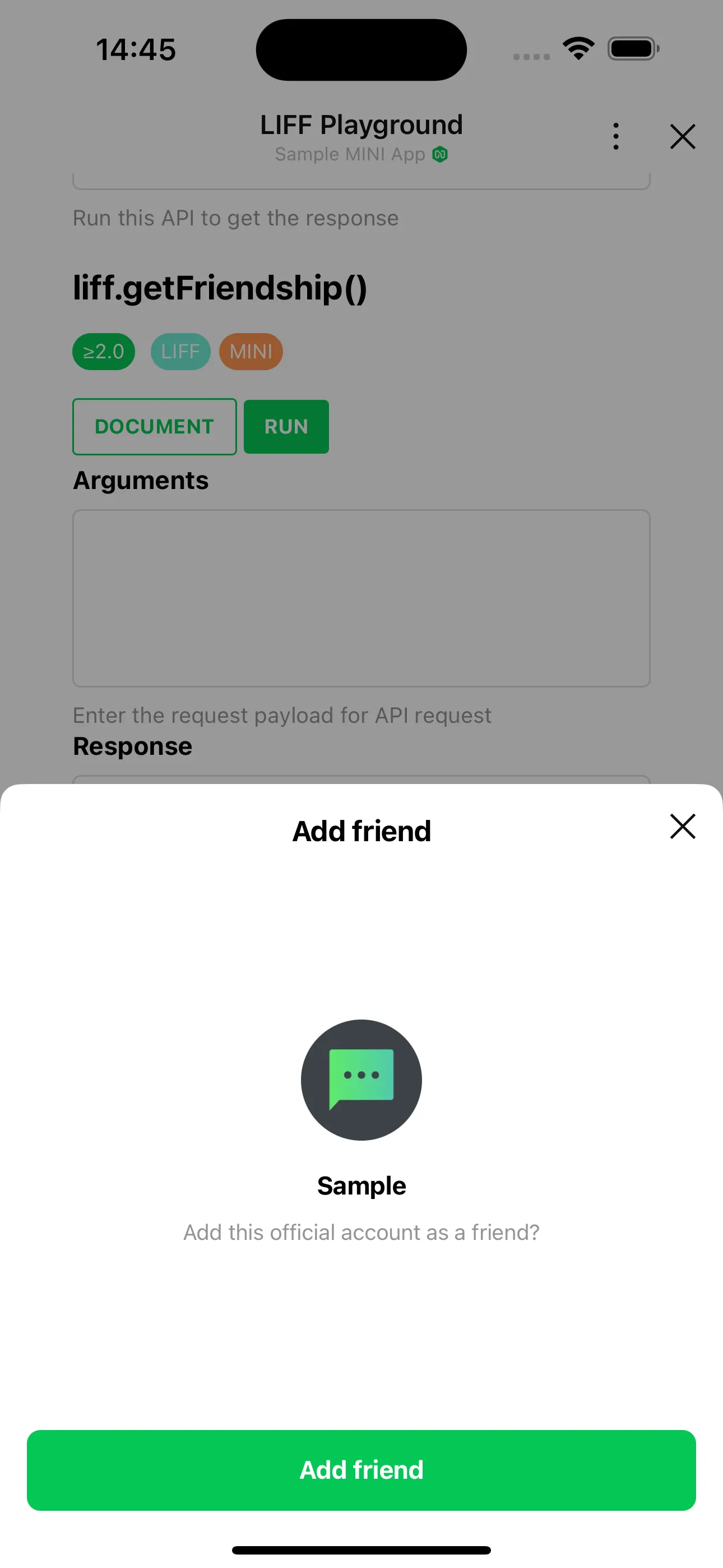
For example, after showing guidance such as "Add this LINE Official Account as a friend to receive the benefit," you can display the subwindow to make the required flow easy for users to understand.
Wrap-up
In this article, I introduced the liff.requestFriendship() method as one of my favorite methods. The liff.requestFriendship() method is a practical way to add a path to your LINE Official Account inside your app with only a small amount of implementation work. If you want to prompt users to add the account as a friend or unblock it without significantly disrupting the user experience, this method is well worth considering!
About the author
Furuki (Technical Writer): In charge of documentation for the LINE Developers site. Also organizes Technical Writing Meetup, a community about technical writing.