

Delete your developer account
If you no longer need to use the LINE Developers Console, you can delete your developer account. When you delete your developer account, you can no longer log in to the LINE Developers Console with that developer account.
Once you delete your developer account, it can't be restored. If no other developer account can access the providers or channels for which the deleted developer account had roles, no one will be able to view information or change settings for those providers or channels.
Before deleting your developer account, make sure to grant the necessary roles to other developer accounts to avoid disrupting active services.
Delete your developer account
To delete your developer account, follow these steps:
- Log in to the LINE Developers Console.
- Click the profile icon in the top-right corner of the screen.
- Click the account information, and then open the profile screen.
- In the "Delete your developer account" section, click Delete.
- Review the information on the confirmation screen, enter the displayed developer ID, select the I agree to the above and wish to permanently delete my developer account. checkbox, and click Delete.

When the developer account deletion is complete, you're redirected to the LINE Developers site homepage, and a deletion completion email is sent to the registered email address.
If the Delete button is disabled
You can't delete your developer account if any provider or channel meets both of the following conditions:
- Other developer accounts also have roles in that provider or channel.
- Your developer account is the only one with the Admin role.
In this case, the Delete button is disabled, and a message explains why you can't delete your developer account and what to do.
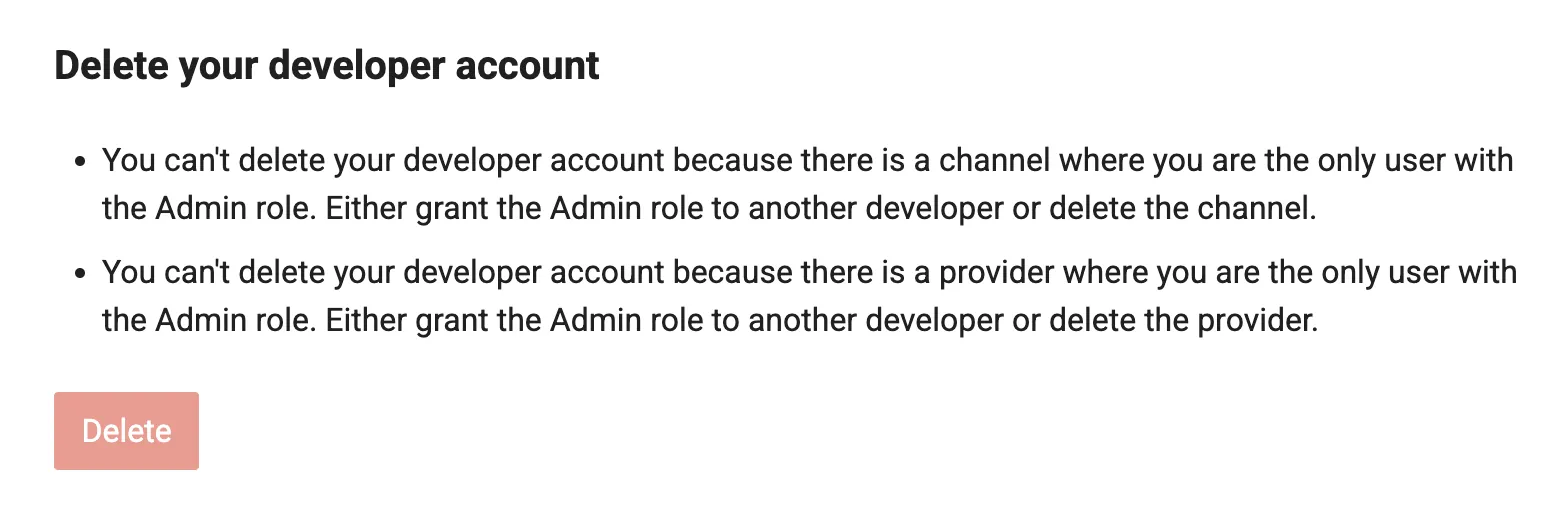
Grant the Admin role to another developer account for the applicable providers or channels, and then try deleting your developer account. For more information on how to manage roles, see Managing roles.
Note that you can delete your developer account if no other developer account has a role for any of the providers or channels you manage.
If you can't click the Delete button, you can delete the applicable providers or channels instead of granting the Admin role to another developer account. However, deleting providers or channels may make active services unavailable. Before deleting providers or channels, make sure deleting them doesn't affect your services.
Note that Blockchain Service and LINE MINI App channels can't be deleted from the LINE Developers Console. For these channels, grant the Admin role to another developer account.
For more information on how to manage providers and channels, see Best practices for provider and channel management.
Status after deleting your developer account
When you delete a developer account, the following applies:
- You can no longer log in to the LINE Developers Console with the deleted developer account.
- You can no longer access the providers or channels for which the deleted developer account had roles.
Note that deleting a developer account doesn't delete the Business ID or LINE account associated with that account.
Resume using the LINE Developers Console
To use the LINE Developers Console again with the same Business ID, create a new developer account in the same way as when you first logged in. In this case, the developer account is created as a different developer account from the one that was deleted, so the roles for providers and channels held by the deleted developer account won't be transferred. For more information on creating a developer account, see Create a developer account (only on first login).