FAQ entries tagged #LINE Developers Console

Q
Where can I find my Channel ID?
# LINE Developers Console # LINE Platform # LINE Login # LIFF # LINE MINI App # Messaging API

You can find your Channel ID on the LINE Official Account Manager or the LINE Developers Console.

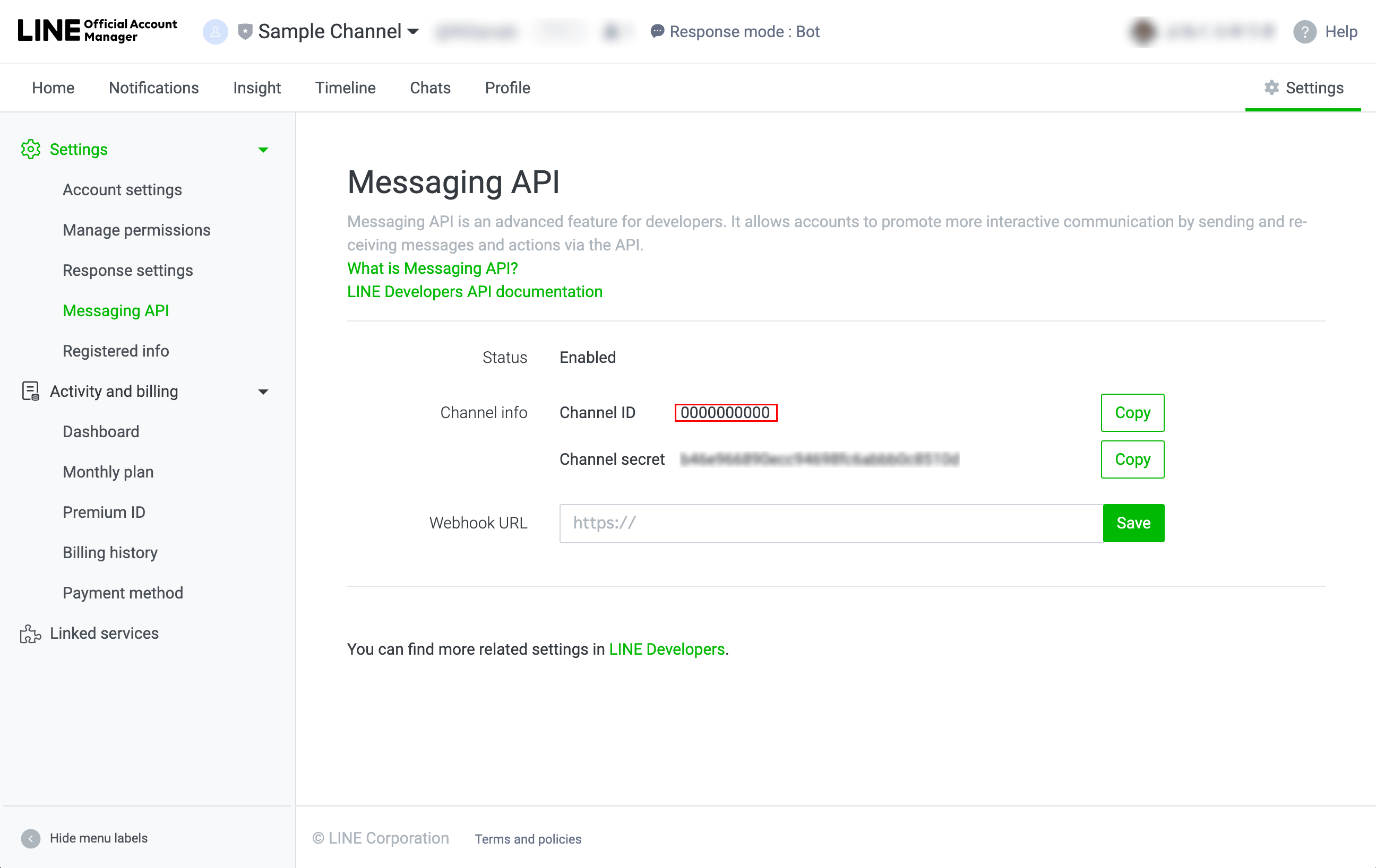
  • LINE Official Account Manager (requires Admin role):
    Select account from accounts list and click Settings in the top-right corner of the page. Click Messaging API from the side menu, and you will see your Channel ID next to Channel Info.
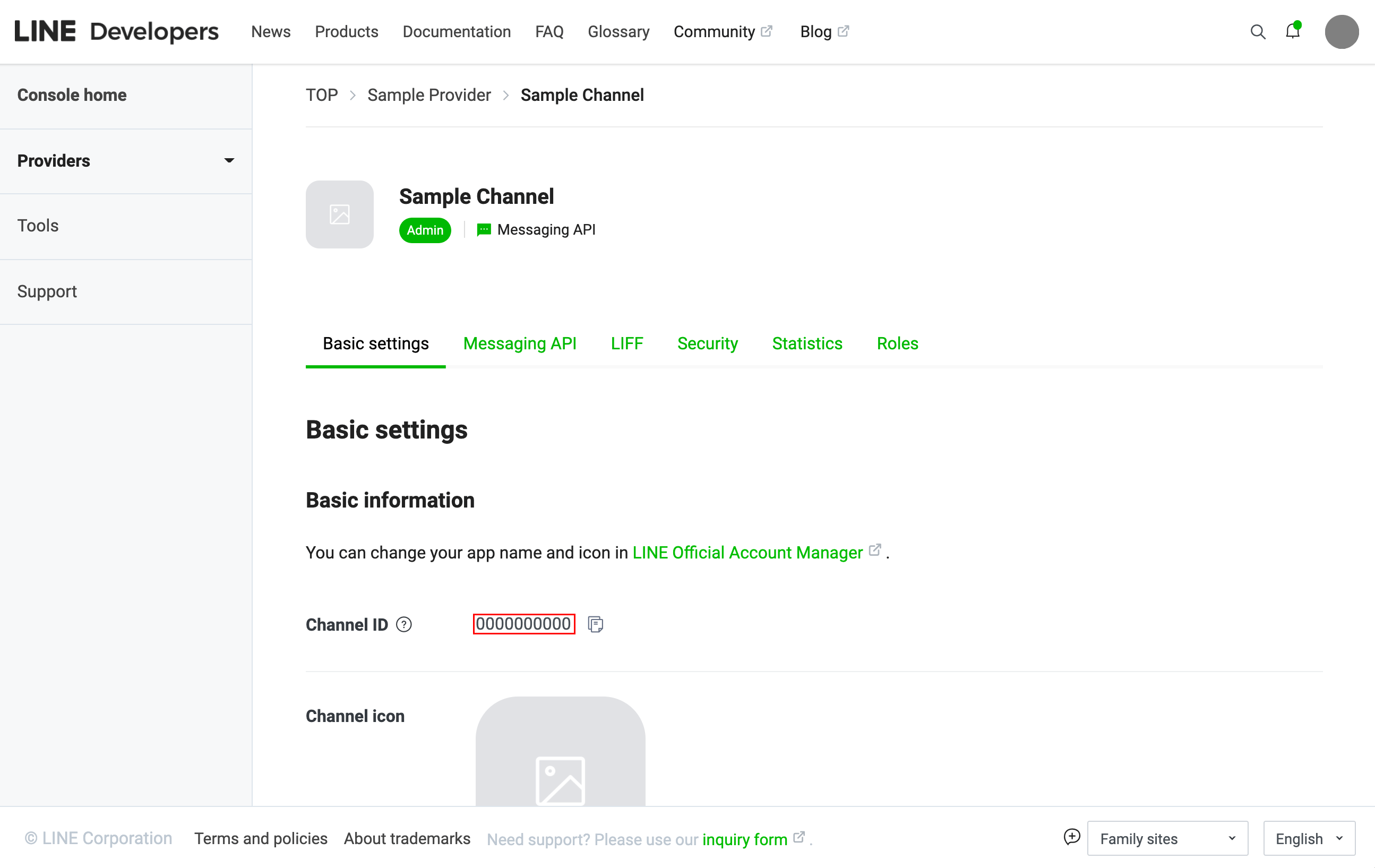
  • LINE Developers Console:
    From the LINE Developers Console, select provider, and then select channel. You can find your Channel ID under Basic settings.
Q
Where can I find my Provider ID?
# LINE Developers Console # LINE Platform # LINE Login # LIFF # LINE MINI App # Messaging API

You can find your Provider ID on the LINE Developers Console.

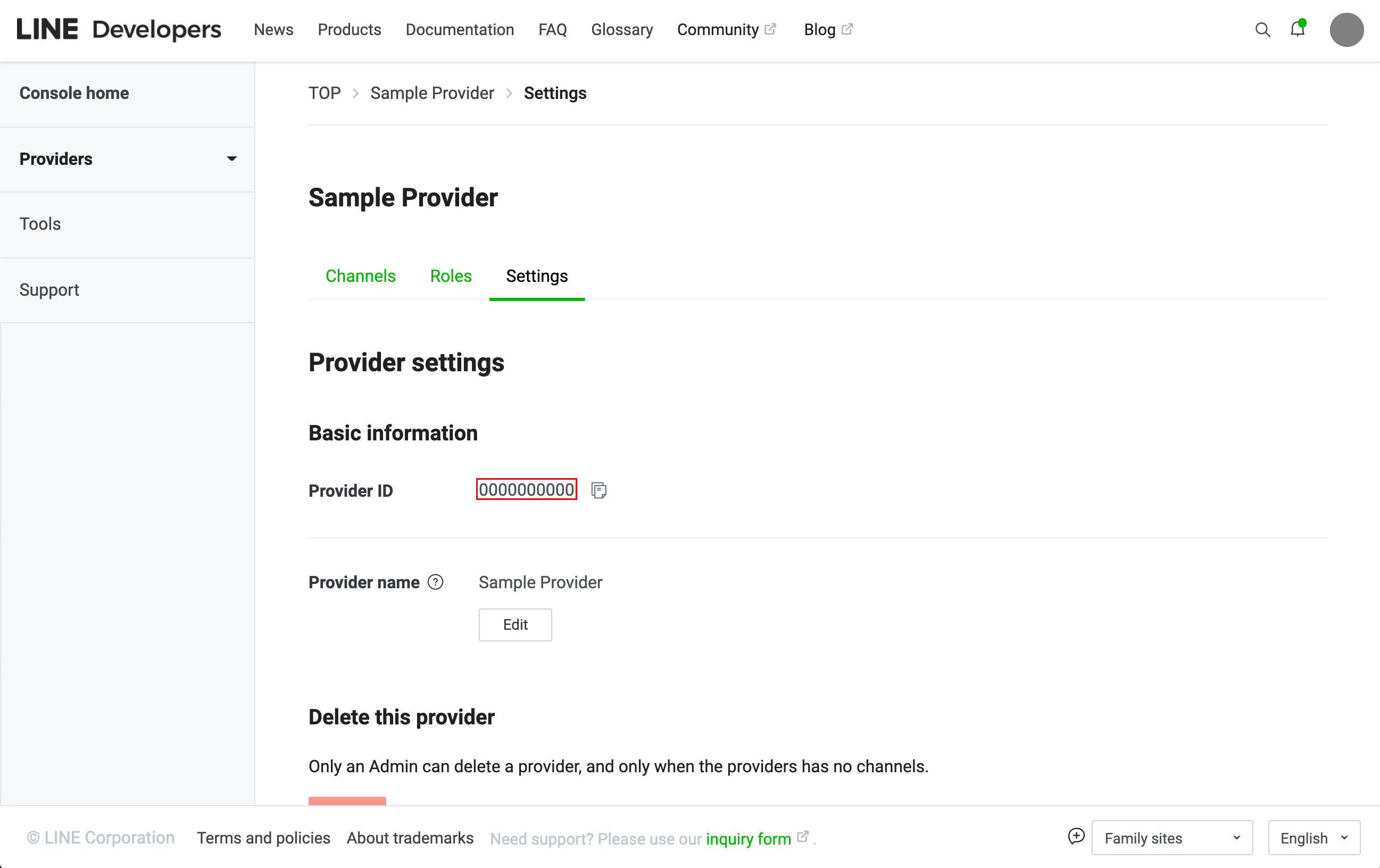
  • If you have Provider Admin role:
    From the LINE Developers Console, select provider and then click Settings. You can find your Provider ID under Provider settings.
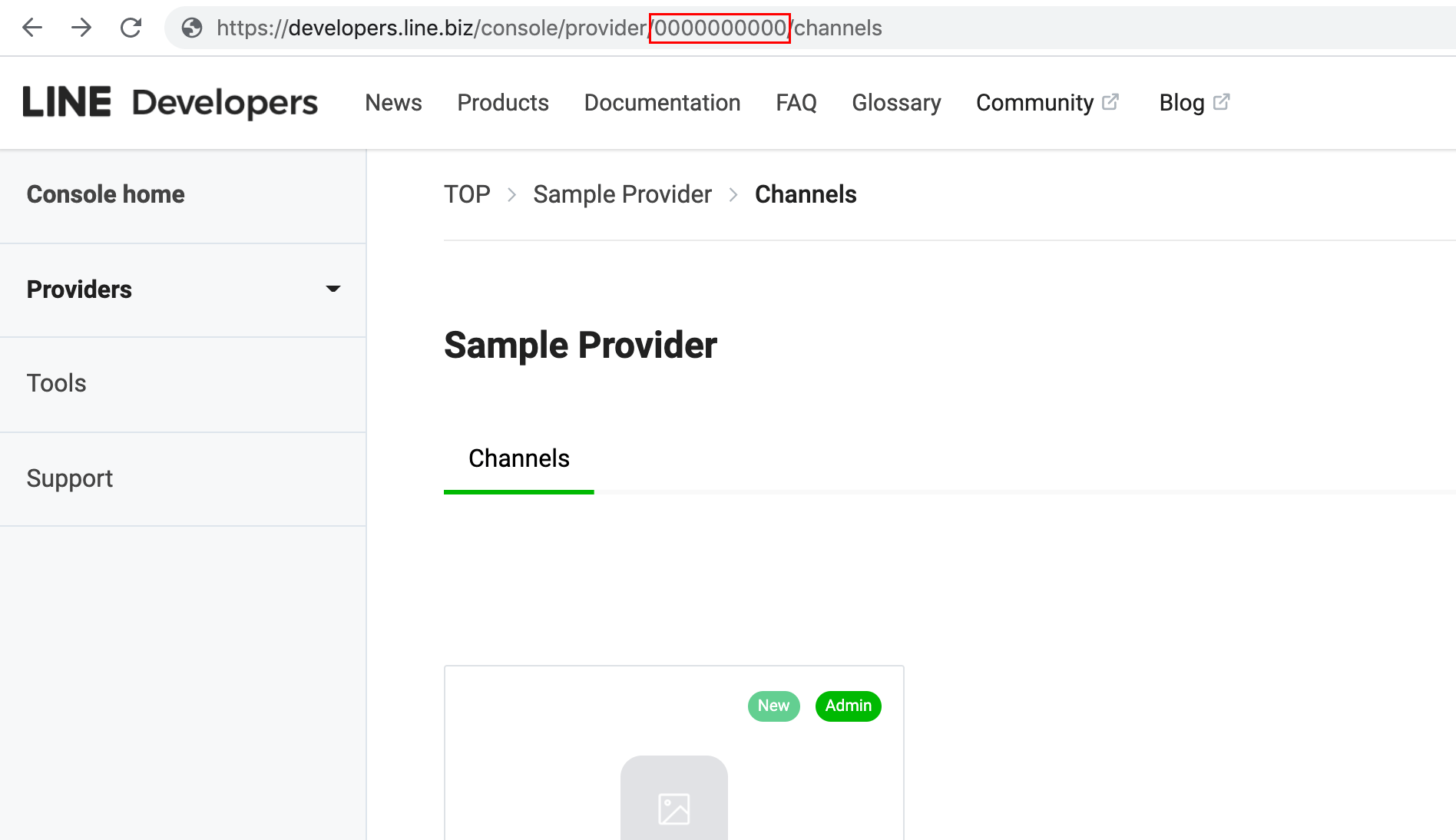
  • If you don't have Provider Admin role:
    From the LINE Developers Console, select provider. From the page displayed, you will see your Provider ID in the segment after /provider/ in the URL.
Q
Where can I change the company name displayed in the LINE Official Account business profile?
# LINE Developers Console # LINE Platform # LINE Official Account # Messaging API

You can change the company name (provider name) displayed when tapping the certification icon (e.g., Premium, Verified, or Unverified) in the business profile of your LINE Official Account using the steps below:

  • For Certified providers
    You need to submit an application to LINE, so contact your sales representative.
  • For non-Certified providers
    From the LINE Developers Console, select provider, click Settings, and from the Provider settings, and click the Edit button under Provider name.
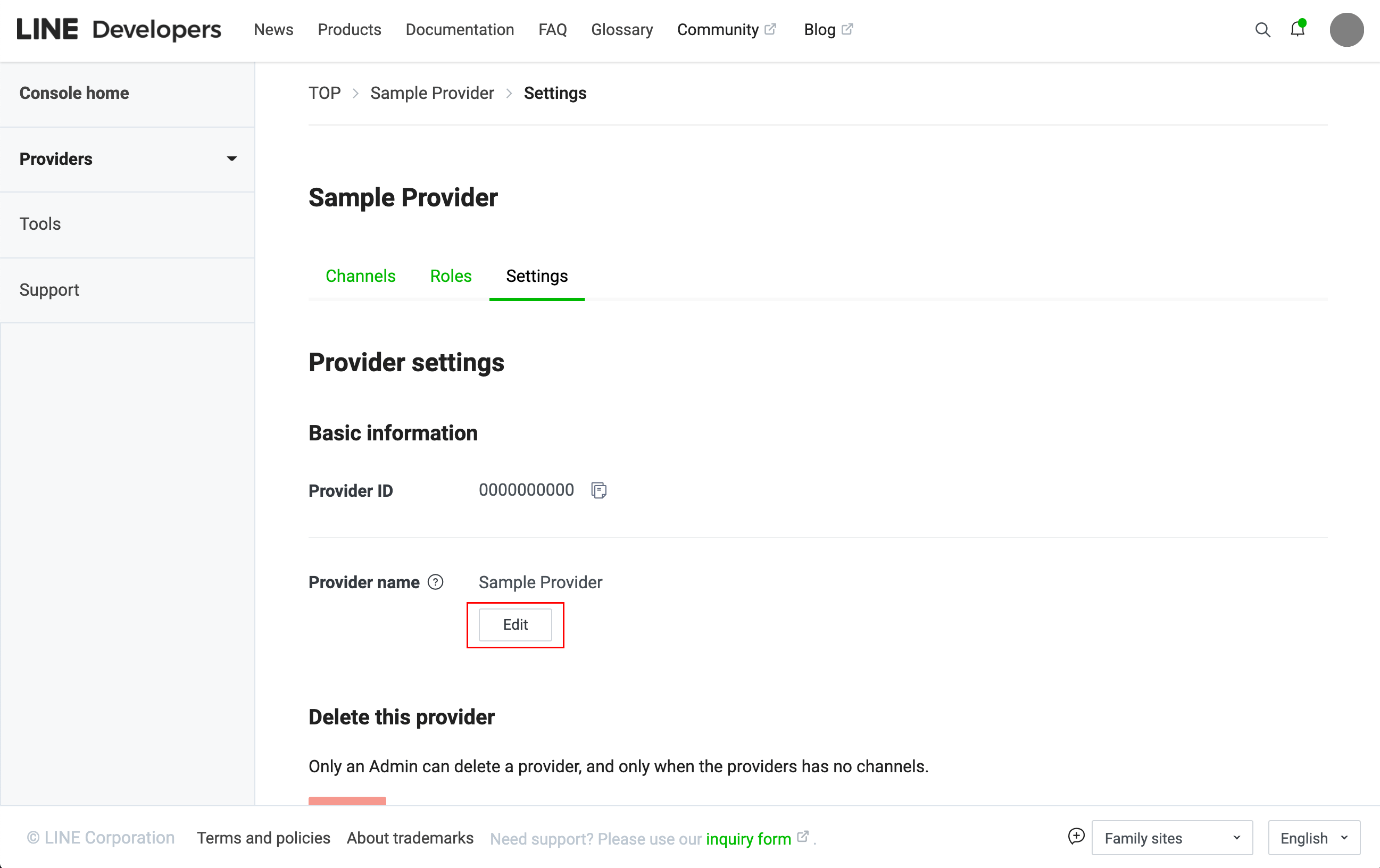
It will take some time before the change of provider name is reflected on your business profile page.

Similarly, you can change the corporate name and business name displayed when tapping the certification icon in Business Manager.