

Settings displayed to LINE MINI App users
Some information registered on the LINE Developers Console will be displayed to LINE MINI App users.
Provider settings
The following settings information of the LINE MINI App channel provider is displayed to the users:
Settings tab
| Items | Display |
|---|---|
| Provider name |
Channel settings
The following information on the LINE MINI App channel settings is displayed to the users:
Basic settings tab
| Items | Display Screen |
|---|---|
| Channel icon |
Users recognize this image as the Channel icon of the LINE MINI App. |
| Channel name |
Users recognize this text as the LINE MINI App name. Channel name is copied to the LIFF app name under the Web app settings tab. Enter in English. To enter the channel name in any other languages such as Japanese, see Multi-language support of the Channel consent screen. |
| Channel description | Enter in English. To enter the channel description in any other languages such as Japanese, see Multi-language support of the Channel consent screen. |
| Privacy policy URL | Channel consent screen |
| Localization (multi-language support) | Channel consent screen |
| Linked LINE Official Account |
Web app settings tab
| Items | Display Screen |
|---|---|
| Endpoint URL | Add Shortcut screen |
Action button
When a user shares a LINE MINI App page from the action button, the following information registered on the LINE Developers Console is displayed in the chat room to which the page is shared.
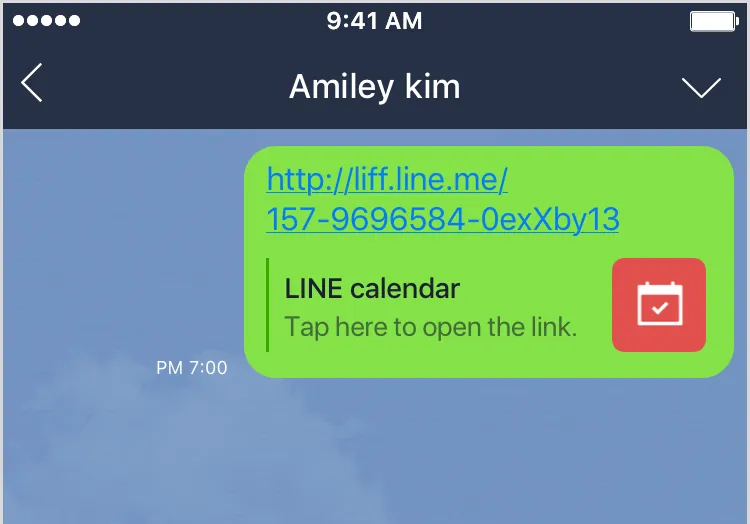
| Information | Settings |
|---|---|
| LINE MINI App name | Basic settings tab > Channel name |
| LINE MINI App icon | Basic settings tab > Channel icon |
Multi-tab view
When a user taps the action button, the following information registered on the LINE Developers Console is displayed in the multi-tab view.
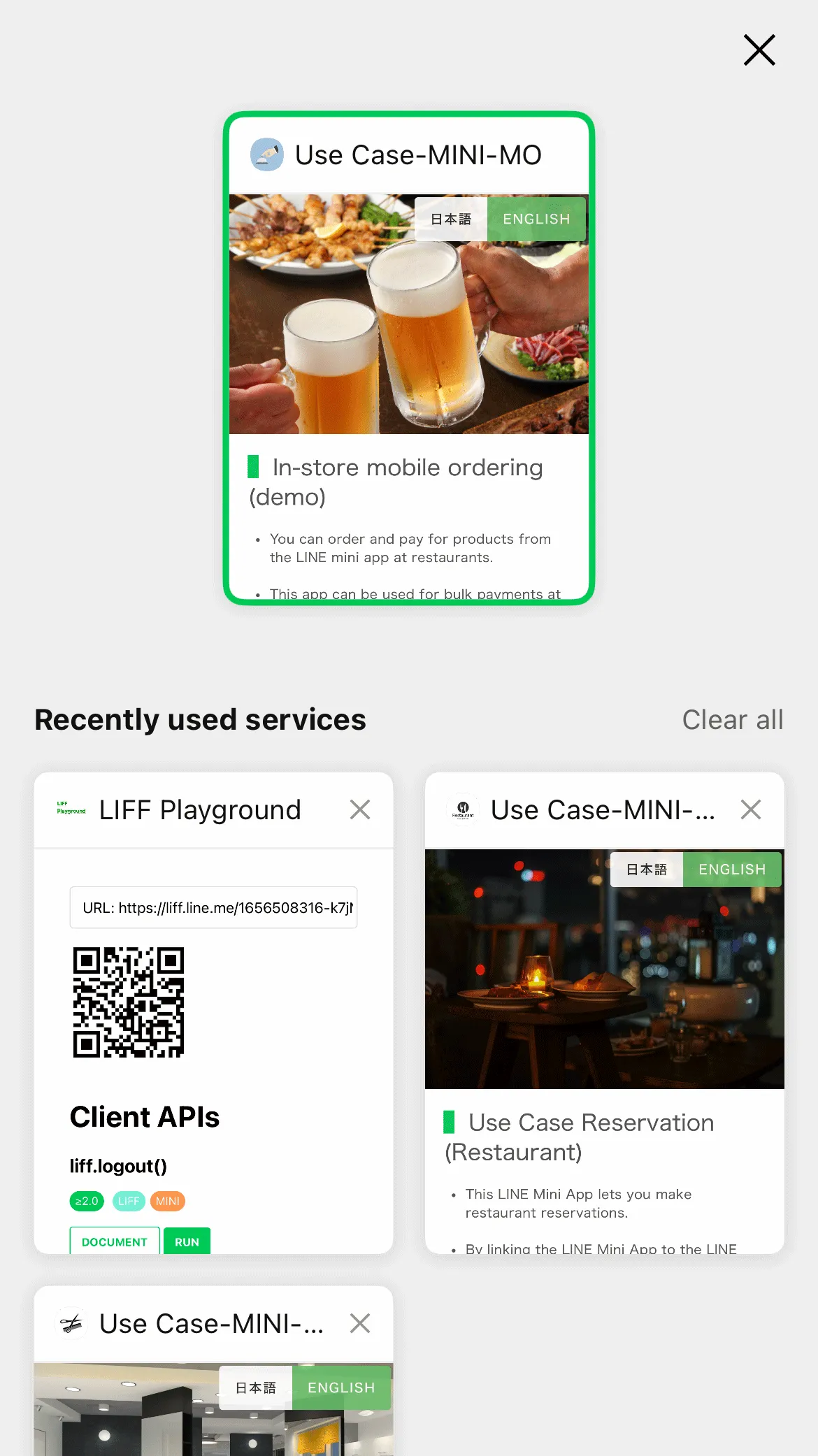
| Information | Settings |
|---|---|
| LINE MINI App name | Basic settings tab > Channel name |
| LINE MINI App icon | Basic settings tab > Channel icon |
Verification screen
The following information registered on the LINE Developers Console is displayed on the verification screen.
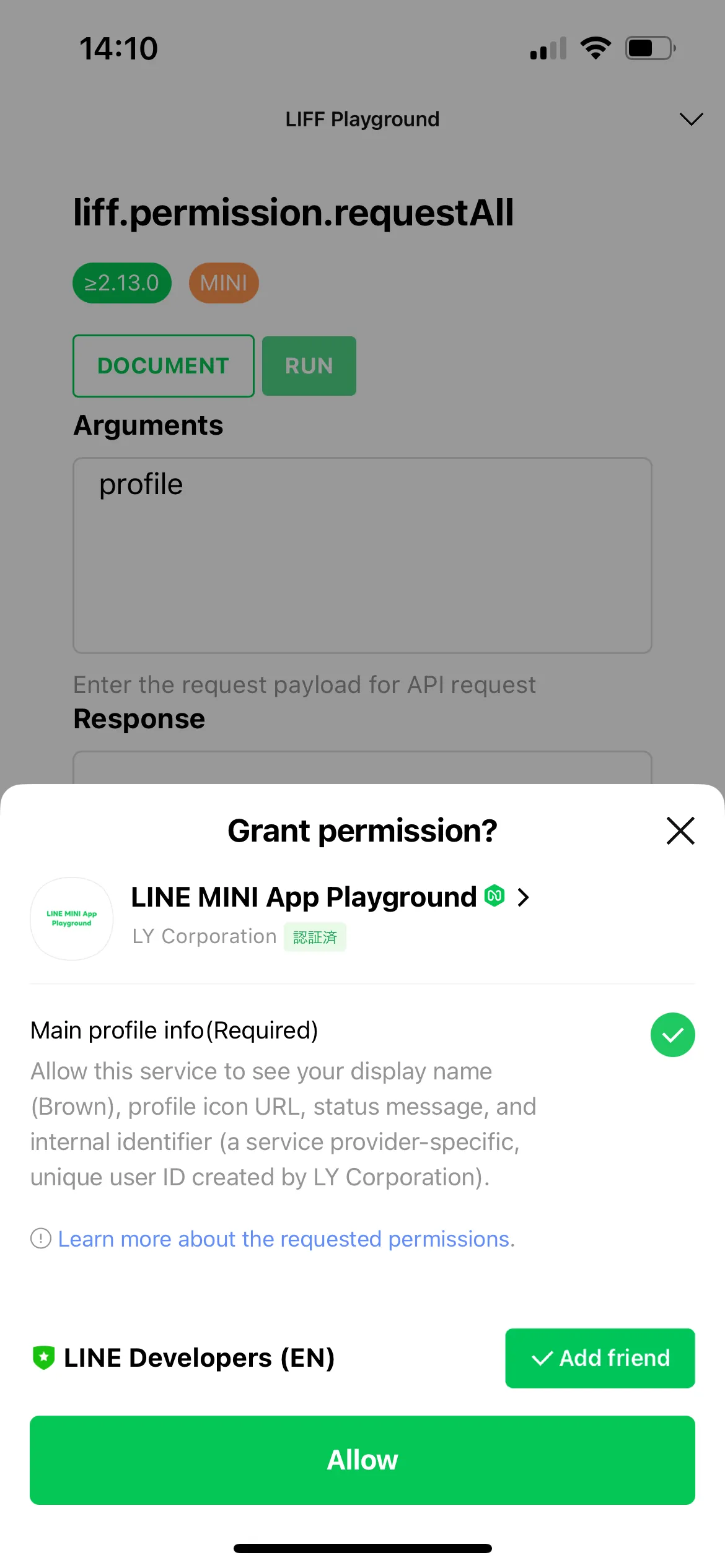
| Information | Settings |
|---|---|
| LINE MINI App icon | Basic settings tab > Channel icon |
| LINE MINI App name | Basic settings tab > Channel name |
| Provider name | Settings tab > Provider name of the provider to which the LINE MINI App channel belongs |
| Description | Basic settings tab > Channel description |
| LINE Official Account | Basic settings tab > Linked LINE Official Account |
Channel consent screen
The following information registered on the LINE Developers Console is displayed on the channel consent screen.
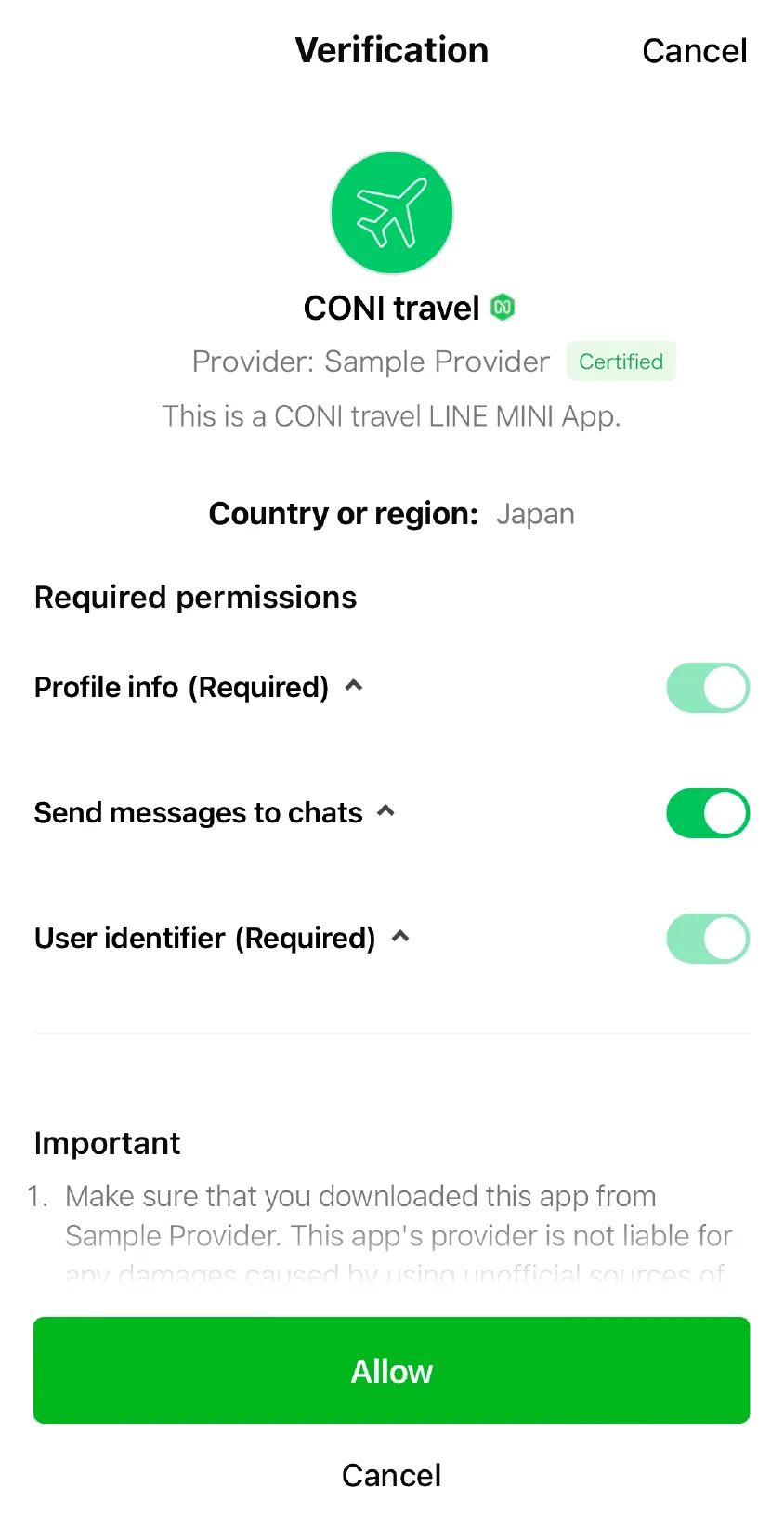
| Information | Settings |
|---|---|
| LINE MINI App icon | Basic settings tab > Channel icon |
| LINE MINI App name | Basic settings tab > Channel name |
| Provider name | Settings tab > Provider name of the provider to which the LINE MINI App channel belongs |
| Description | Basic settings tab > Channel description |
| Privacy policy URL | Basic settings tab > Privacy policy URL |
| LINE Official Account | Basic settings tab > Linked LINE Official Account |
If the LINE MINI App is a verified MINI App, a verified badge will be displayed next to the LINE MINI App name. If the LINE MINI App provider isn't a certified provider, a note saying "LY Corporation hasn't verified this service provider." will be displayed.
Multi-language support of the Channel consent screen
The LINE MINI App name and description on the Channel consent screen are displayed in the language set in the user's LINE settings. For example, if the user has the language of LINE set to Japanese, the Japanese channel name and channel description will be displayed.
| Information | Settings |
|---|---|
| LINE MINI App name | Channel basic settings tab > Localization (multi-language support) > Channel name |
| Description | Basic settings tab > Localization (multi-language support) > Channel description |
- Be sure to localize in the major language(s) used in the countries to which you provide services through your LINE MINI App.
- All information pertaining to Channel name and Channel description is displayed in Englsih, unless Localization (multi-language support) has been enabled to support the language set in the user's LINE settings.
Footer section of service message
From the footer section of the service message, the following information registered on the LINE Developers Console is used. For more information on service messages, see Sending service messages.
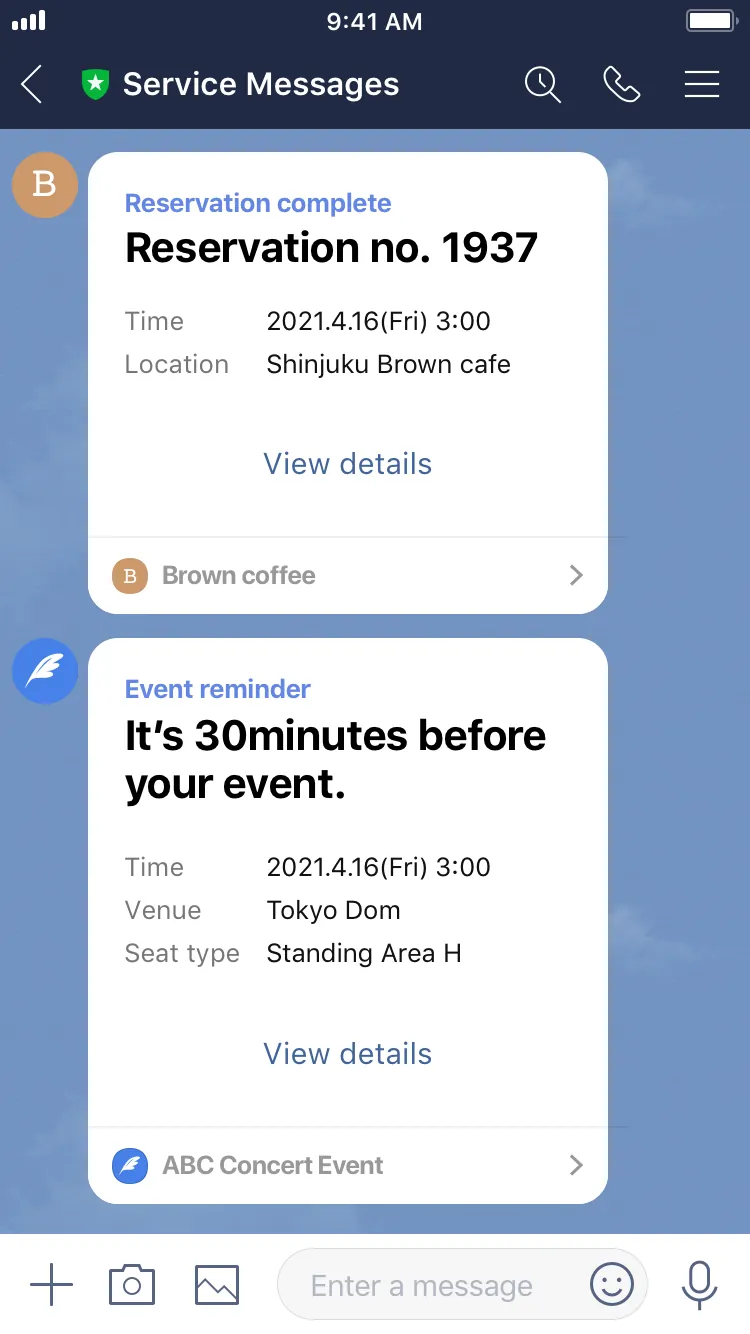
| Information | Settings |
|---|---|
| LINE MINI App name | Basic settings tab > Channel name |
| Image | Basic settings tab > Channel icon |
Add Shortcut screen
The following information registered on the LINE Developers Console is displayed on the Add Shortcut screen. For more information about the Add Shortcut screen, see Add a shortcut to your LINE MINI App to the home screen of the user's device.
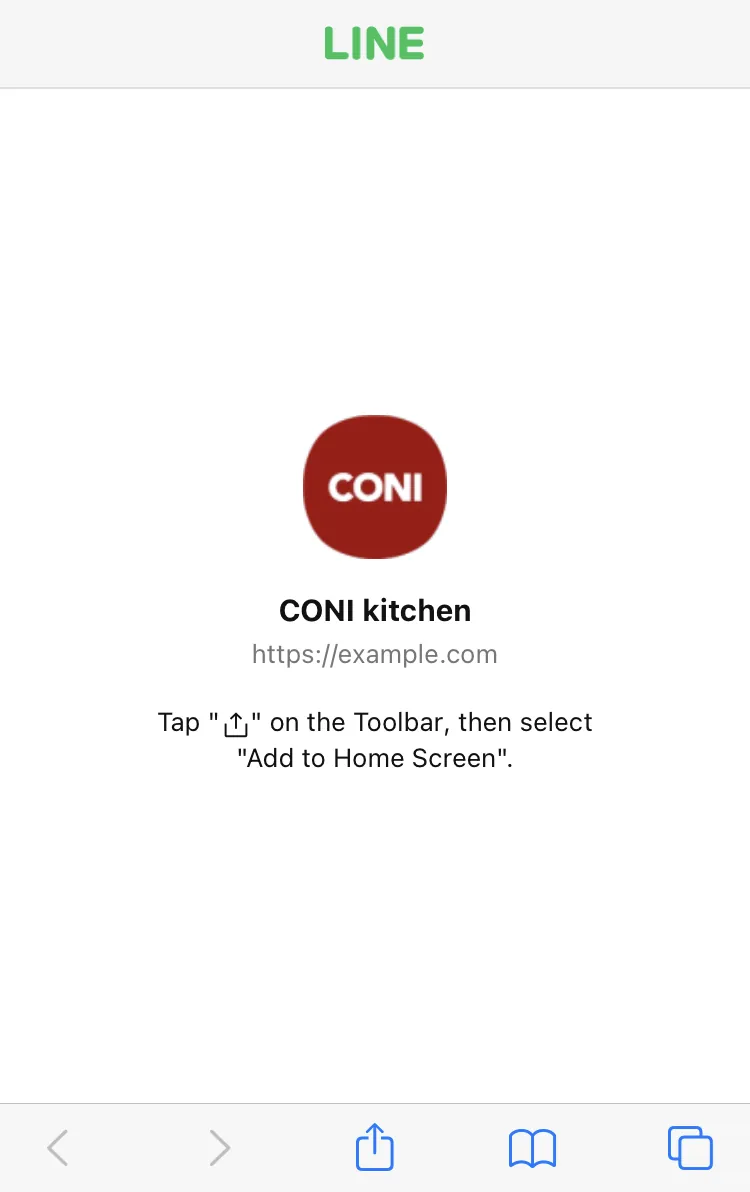
| Information | Settings |
|---|---|
| LINE MINI App name | Basic settings tab > Channel name |
| LINE MINI App icon | Basic settings tab > Channel icon |
| LINE MINI App endpoint URL | Web app settings tab > Endpoint URL |